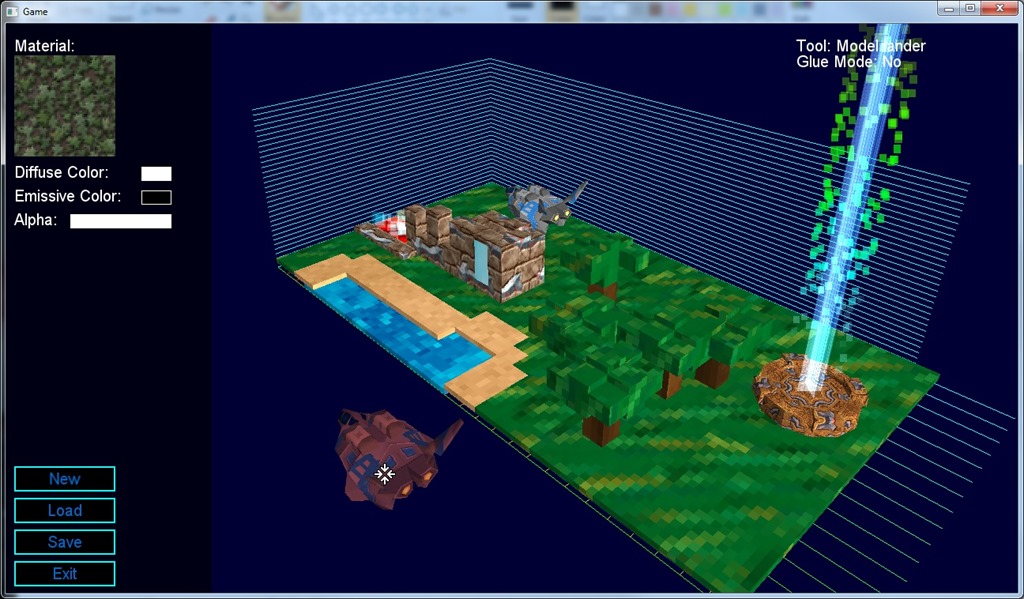
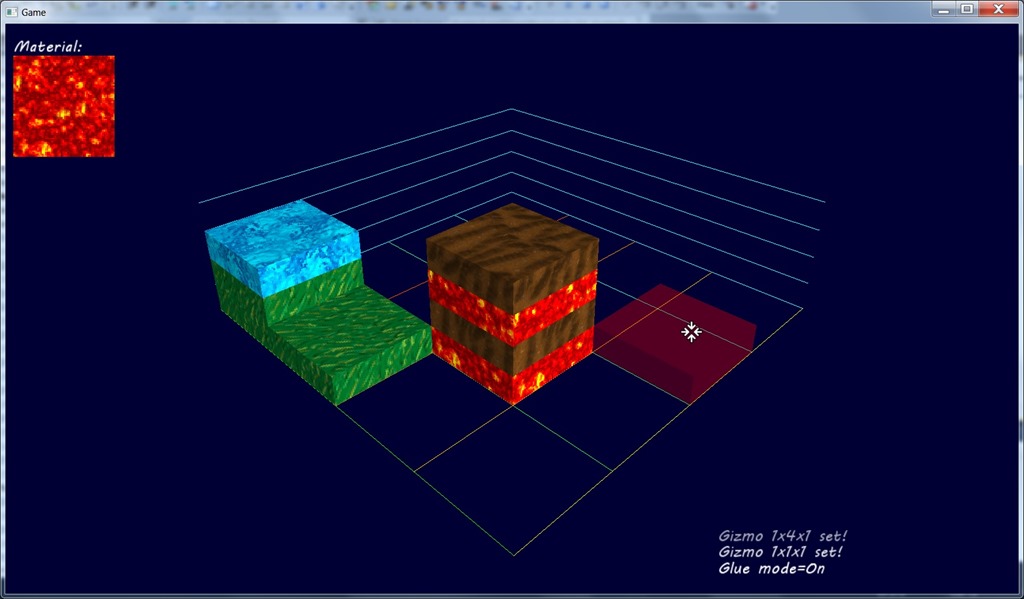
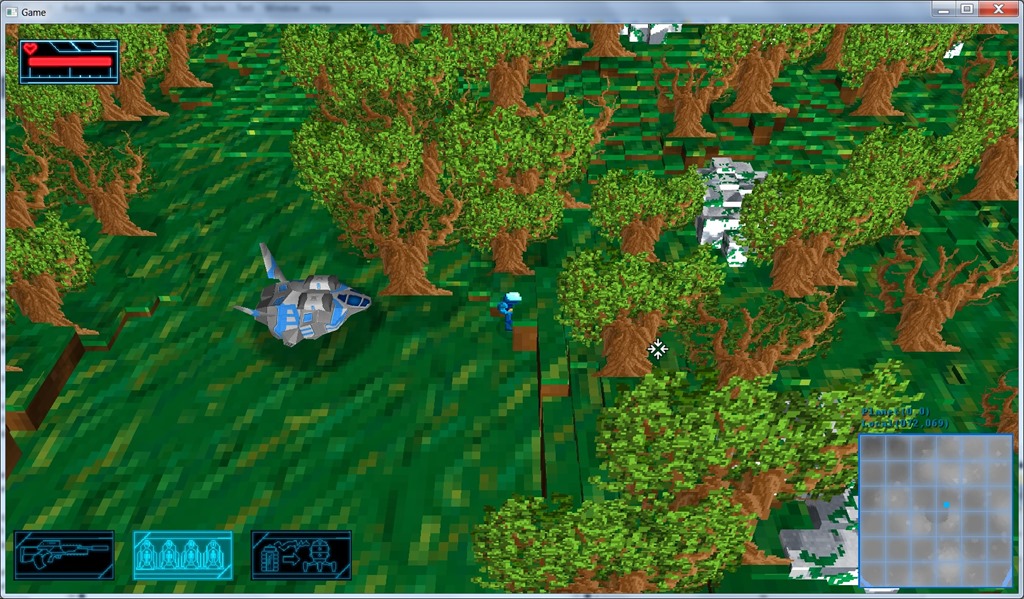
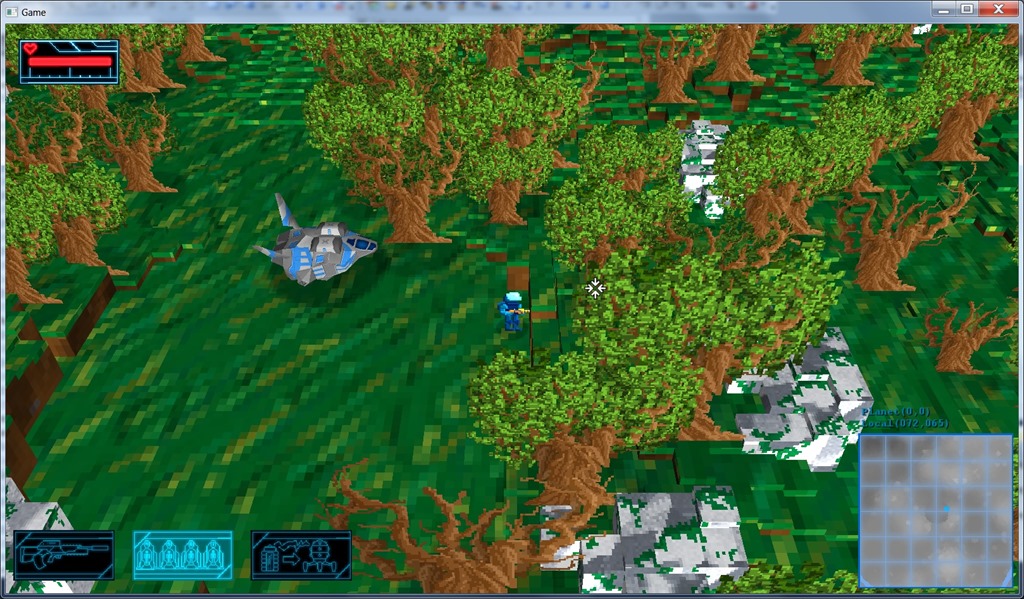
Today I started working on the new temple for the game, using the brand new voxel editor…
Had to code a lot of new stuff because of bugs, and things that weren’t quite user-friendly (for example, custom brushes are very needed, so I coded those in).
I started by working on props that I can reuse (the editor has support for “custom brushes”).
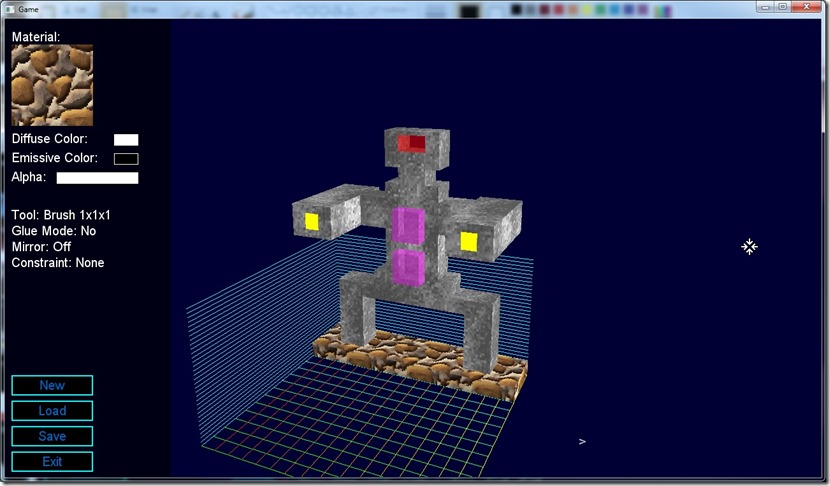
But I got to a place where I wanted to copy a bunch of blocks from one place to another, overwriting the existing blocks… But an UI for that would be too complicated, so I decided on making a LUA-based command line, so now I’m implementing that… Getting the text is the hard part, really!
Now listening to “Rosenrot” by “Rammstein”
Link of the Day: Although I don’t like mobile development that much, I got to admit the new Amazon Fire smartphone looks pretty sweet: http://www.polygon.com/2014/6/18/5821622/amazon-fire-phone-games-3d-dynamic-perspective#ooid=9vaXNjbjrF_xhw2HxUIJR9ylKs2baiqW
This is kind of jumping the gun (I should take care of storyline development before this), but today I felt like making some special effects on the game, so I implemented “flash on hit” and camera shake.
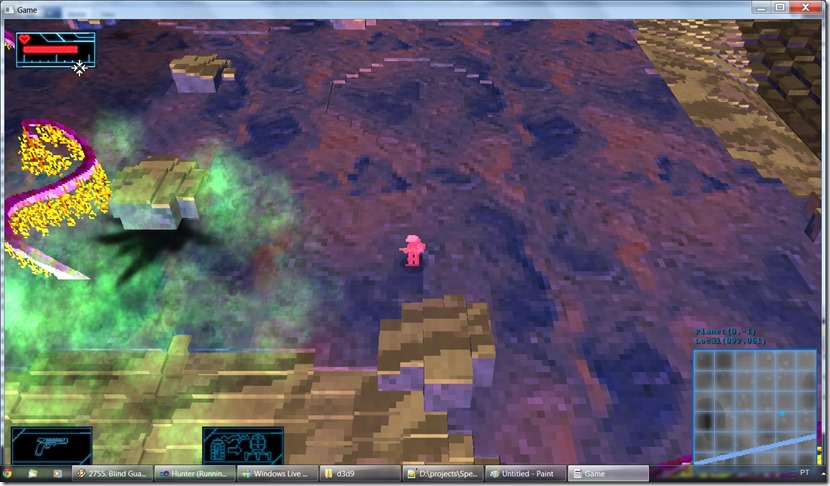
Flash on hit is very good in indicating you’re taking damage, and that the enemies are taking damage. Sometimes there’s too much noise in a scene to be able to properly see the sparks or the numbers above the enemy (which I’m not sure will be kept on the final version).
Camera shake really adds something to the explosions, they become more forceful… And I feel I want to use the effect more in other places in the game, not sure where, probably on cutscenes, etc.
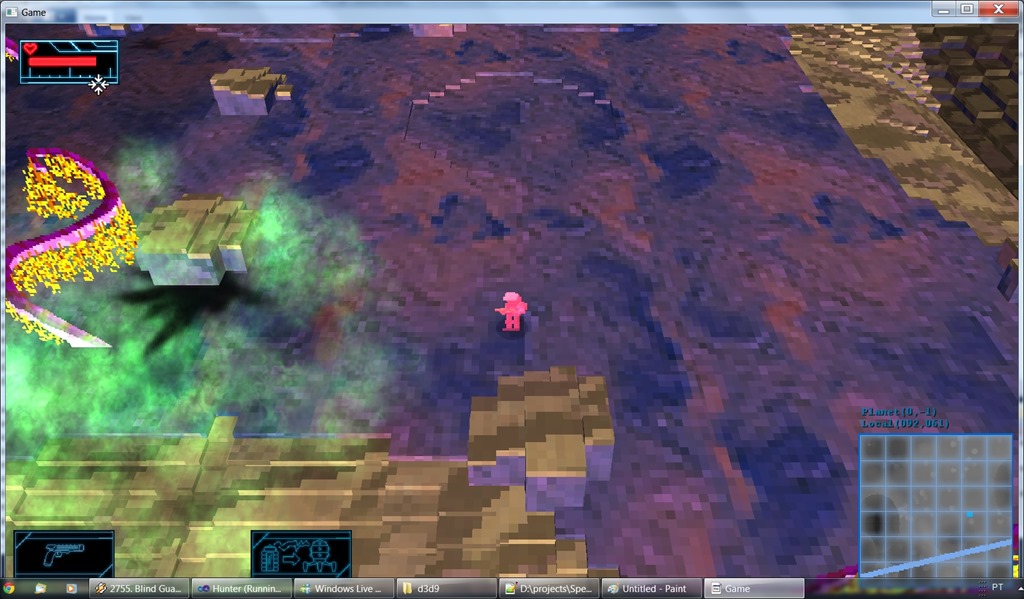
Below you can see the flash effect, about 50 milliseconds after the player was hit, in the alien planet (just next to an acid cloud)… The acid cloud also needs some work to look better…
Now listening to “Keeper of the Seven Keys Legacy” by “Helloween”
Link of the Day: If you like high-speed melodic power metal, you might like the new Dragonforce single… Although I’m not a big fan of the band (it gets tiring after a bit), this song really pumps me up: https://www.youtube.com/watch?v=gbbm6L2ifKE
Today I’ve played the game until the part where the storyline stops, because I didn’t implement anymore of it…
I’ve fixed loads of small bugs, most of them related to the changes I’ve introduced since I wrote those scripts, and some writing as well.
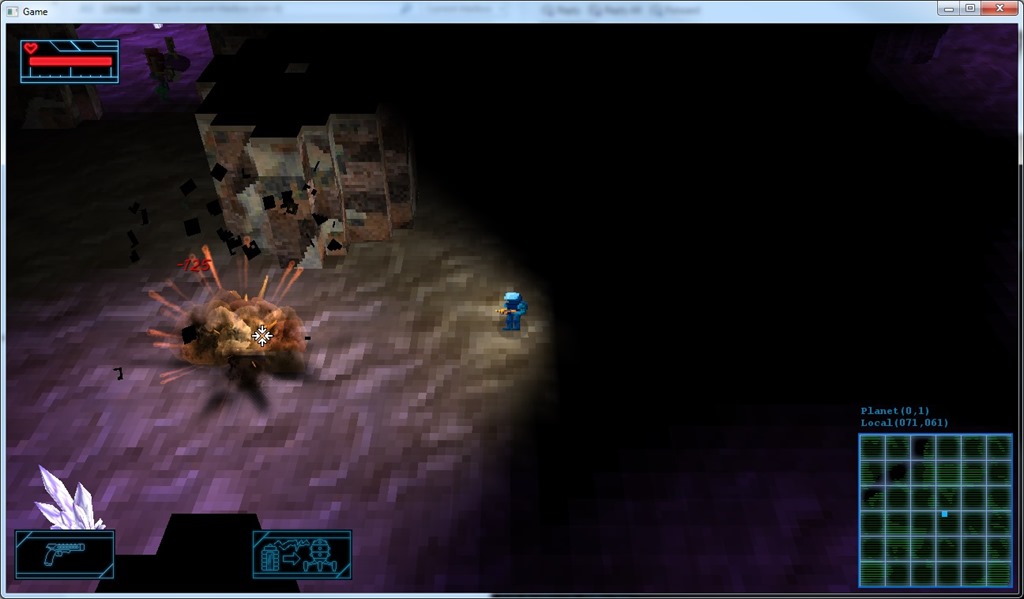
Major tech fix was a overhaul of the 3d sprite system. Now I can say if a sprite is affected by lighting or not, which kind of helps with effects like the explosions, which need to be visible even in total darkness!
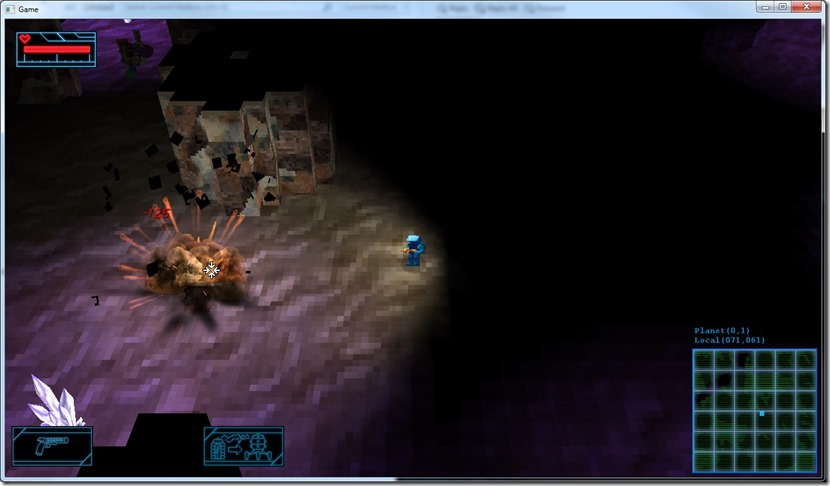
It’s hard capturing an explosion when it happens… They’re too quick! 
Next part of the story will require me to do some grinding so I can acquire enough alloy to have fuel to go to the next planet in the storyline. I’m already finding out some big balancing issues… I’m only 5 planets away from the start, and it’s already too difficult with the the starting weapon (the gun). But better weapons are too expensive, so I’ll probably have to reduce the cost of the weapons a bit, or increase the amount of alloy that we receive on each enemy. I think reducing the cost of the first weapons and upgrades is better, so that the player will have to grind a bit to get enough money to buy the really good weapons! Also have to implement the health packs (health injectors), since they kind of come in handy in tough situations (i.e. 6 enemies that crowd you during a desert sandstorm!).
Now listening to “Jaded” by “To/Die/For”
Link of the Day: Polygon triangulation comes in handy a lot of time, so here’s a link to an nice article about it: http://www.gamedev.net/page/resources/_/technical/graphics-programming-and-theory/polygon-triangulation-r3334
Editor is now complete… I’ll probably add some more tools to it as I go along using it, but for now it’s complete enough for my purposes.
Even mirroring and constraints are supported, besides solving the bugs with the bounding boxes (basically I was adding the position twice to the bounding box when shifting it from the aggregate).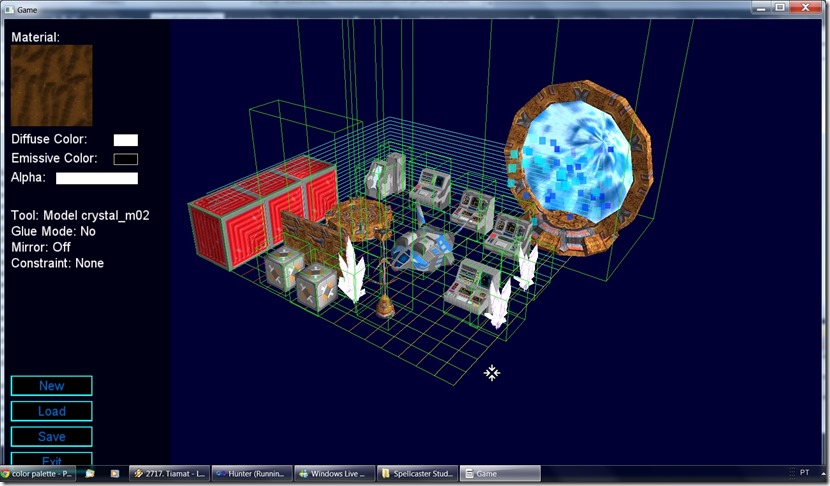
The bounding boxes vertical axis is huge in most cases because it was set manually in the assets file to stop the player from “landing” on top of the arch, for example.
All in all, I’m pretty happy with this…
Next step: more playthrough!
Now listening to: “Cold Confort” by “Painted Black”
Link of the Day: Neat WebGL tool for BRDF visualization: http://patapom.com/topics/WebGL/BRDF/
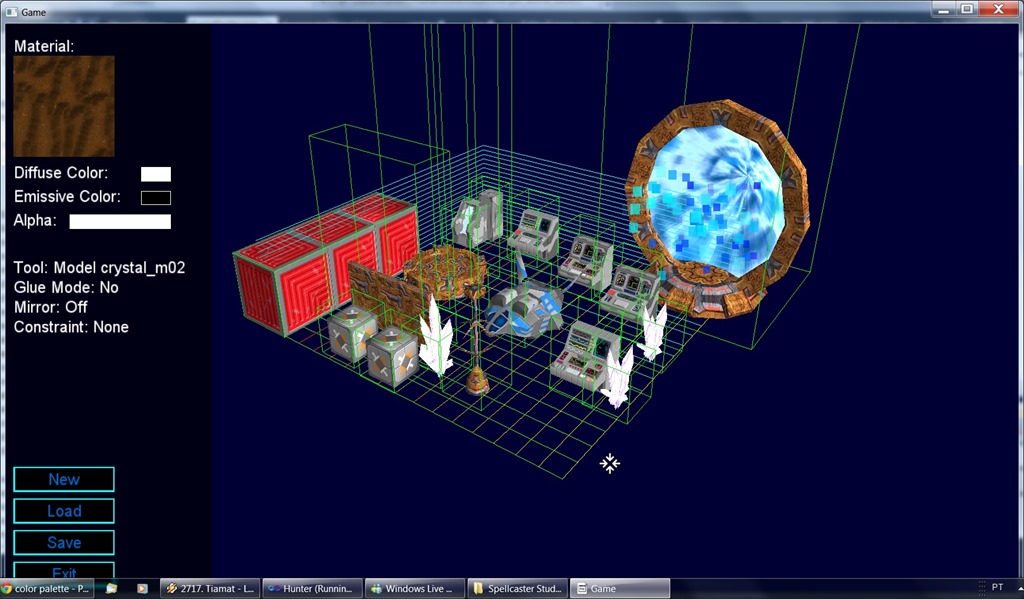
Finished the props system on the editor… It still has some issues, but it’s mostly done!
Only thing remaining on the editor are a couple of tools: constraints (so we can do straight lines easily) and mirror (because most of what I do is symmetrical in nature). After that, I can get back to the development of the game properly, in terms of content…
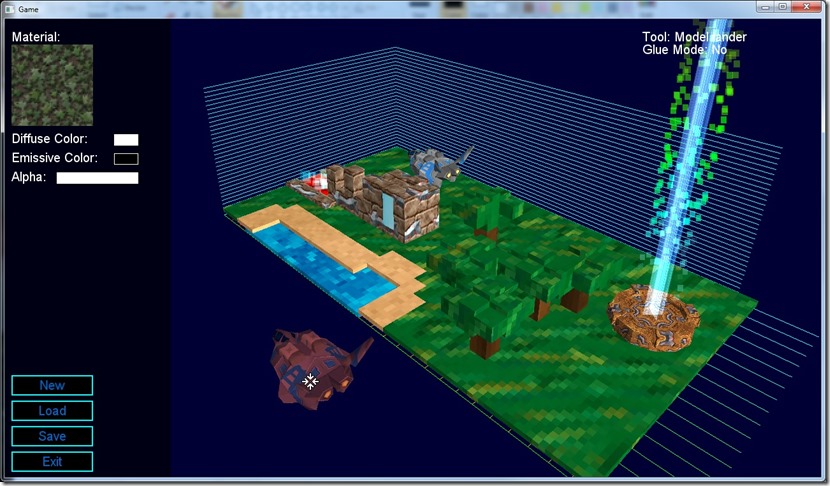
There’s still some bugs with bounding boxes (the bounding box of that spaceship is miles away from where it should be, and it removes part of the ground when put down!).
Now listening to: “Icon” by “Paradise Lost”
Link of the Day: Although I’m not a fan of Fez, nor do I like Phil Fish, this is a very interesting video for all sorts of reasons: https://www.youtube.com/watch?v=PmTUW-owa2w
Although this is taking a bit more time than I expected (mostly due to feature creep), the editor is almost done, only props and model painting is missing from it…
And it looks great!
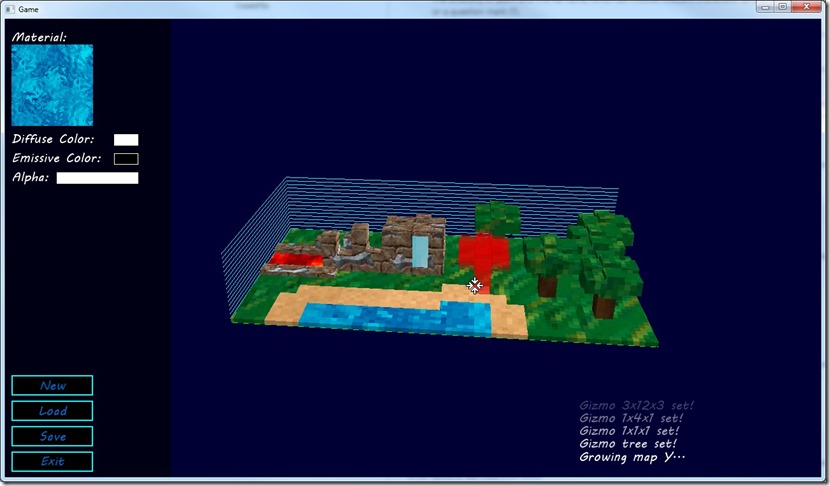
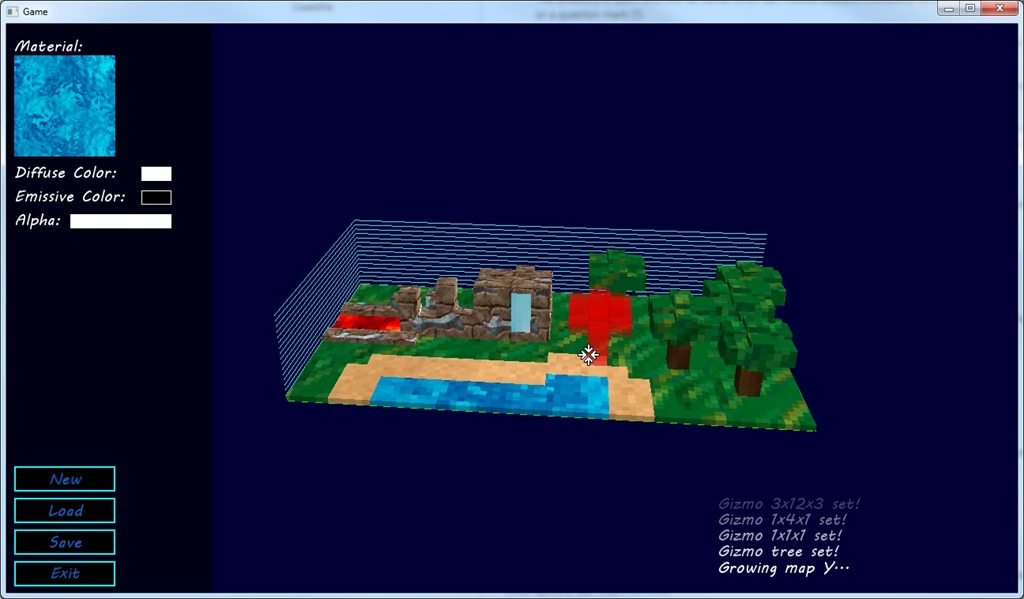
The editor now supports custom brushes, that can be made by saving a map created this way… On the above screenshot, the trees are a brush… I also now support undos and fixed the bugs with the color modulation…
If I had made this in the beginning of this project, I would have built a lot of assets that could be reused throughout the maps, to build ruins, temples, and overall to add interesting areas (side-quests, for example)!
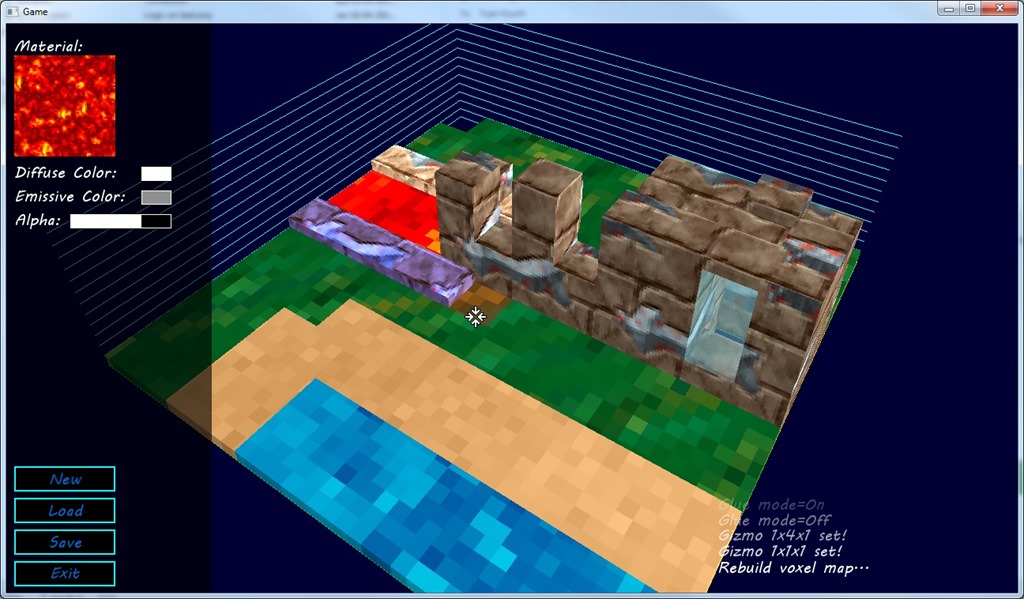
Added colors (diffuse and emissive) to the editor, which improves the gamut of choices…
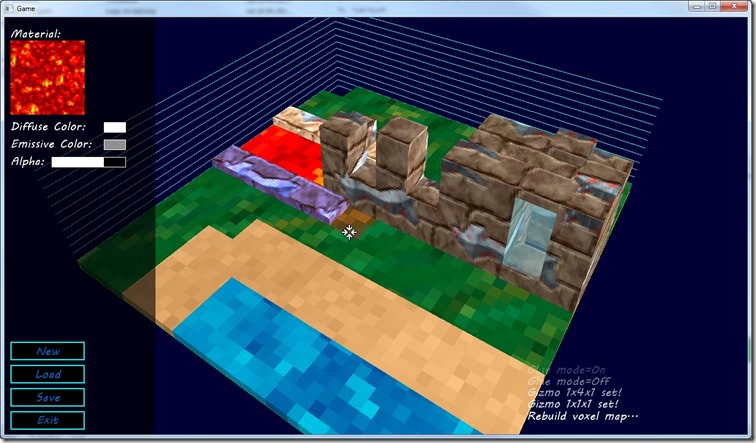
There’s still some bugs… rebuilding the mesh when I paint voxels sometimes does a bad job, but I think that has to do with the update of the mesh itself, because when I force a refresh (which deletes the meshes, instead of reusing them) it works fine… There’s also a bug with the colors (the purple stone shouldn’t be purple, but all the tiles of that color get set to that color).
Finally there’s an issue with the way I built the voxel system… If two adjacent voxels of different material have alpha, they won’t have the wall between them, which should be present.
All in all, small issues but it really triggers the creativity having an editor. The map above was done by just playing around for the screenshot, and it already looks neat! 
Yesterday I had a very long evening, and as such today I’m a bit hungover, which means not a lot of energy for development… Anyway, keeping with my own pledge to do at least a bit every day, I progressed a bit further in the editor.
Now the editing area can be grown/shrunk, and the load and save of maps is done as well.
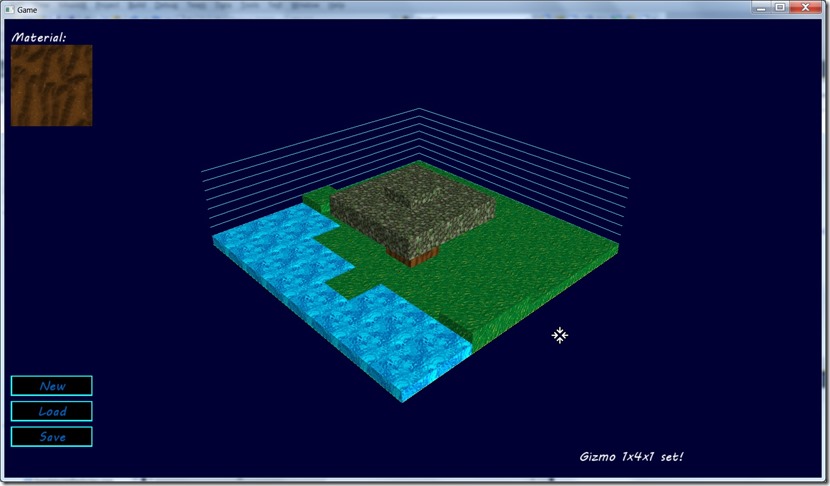
Tomorrow I’ll probably won’t have much time for development as well, since Portugal’s playing in the World Cup and I’m going out with friends to watch the game… But at least I intend to have the texture tiling and color picking working on this as well!
Some of the areas of the game are story-driven, and as such they should look unique… I could build algorithms to generate specific areas (as I did with the temple), but after some thought, I arrived to the concluding that’s counter-productive… building an algorithm that builds something interesting is time-consuming and it’s only worth it if you reuse it a lot, which isn’t the case in unique set-pieces in the game!
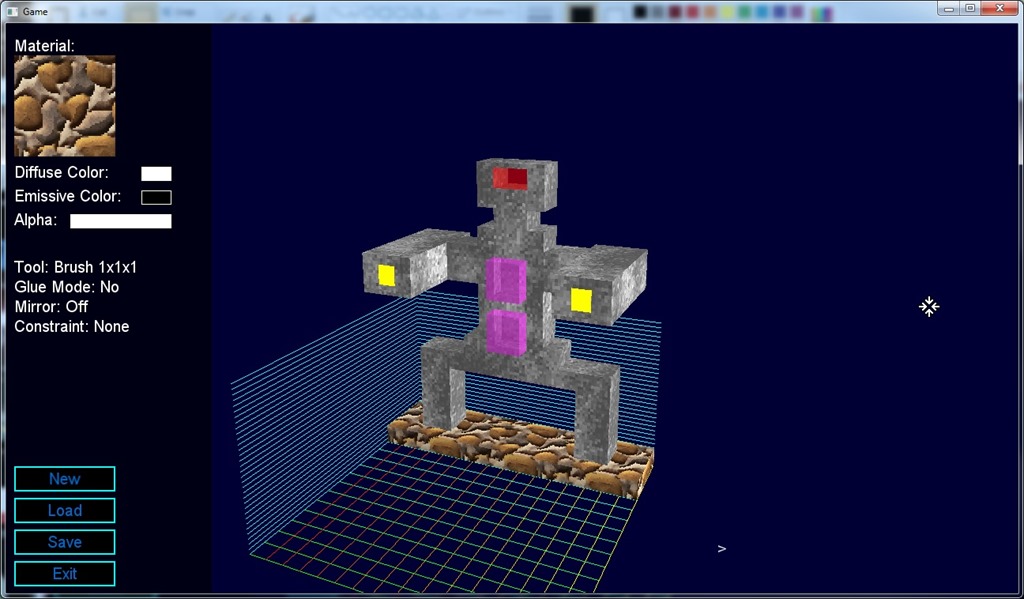
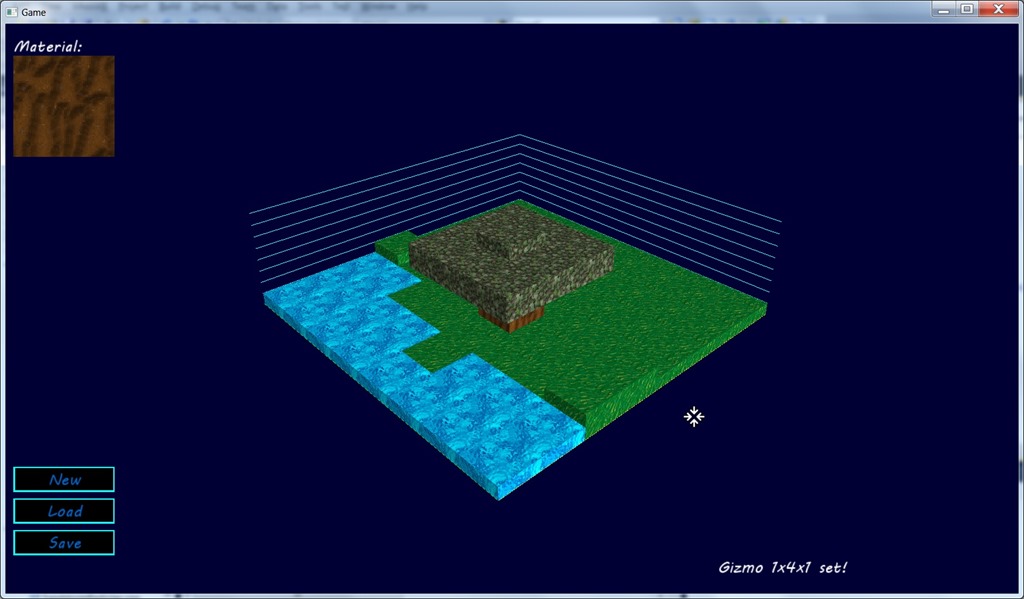
For the Skydancer, I already had a way to build “custom maps”, but for integrated set pieces (i.e. stuff we encounter on the planets), I really didn’t have a good way to build this. So I decided to build a small editor for voxel areas, which can be superimposed to the existing voxel representation… Work has been progressing nicely on this:
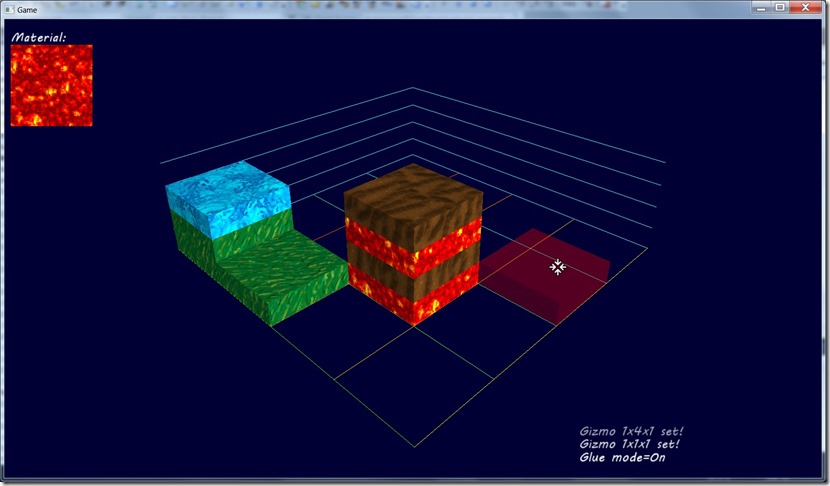
About 4 hours of work have gotten me into a voxel editor that works, including simple brush support… Still missing a ton of stuff (grow the map, load and save, insert the built content into the planet, maybe undos)… Also want to add colors (diffuse and emissive), but this adds a certain amount of complexity to the merge of planet voxels, since those are specified in terms of simpler material concepts (ground, wall, lava, water…), and not exactly textures. But that’s a problem I will have to deal with already, since I already have that issue with the UV scales.
Hopefully tomorrow I’ll be able to finish this editor!
Now listening to: “An Elixir for Existence” by “Sirenia”
Link of the Day: More E3 goodies, this time a preview to “Helldivers” from the developers of the silly fun game “Magicka” (Arrowhead Studios): http://www.polygon.com/e3-2014/2014/6/13/5807004/helldivers-gameplay-video-and-preview-e3-2014. Looks very cool and unique!
Until now, the collision detection of the player character and the game world was point based, i.e. I would detect if the player could move to a position if the differential of heights of the new position was smaller than the “step size”.
This would lead to this:
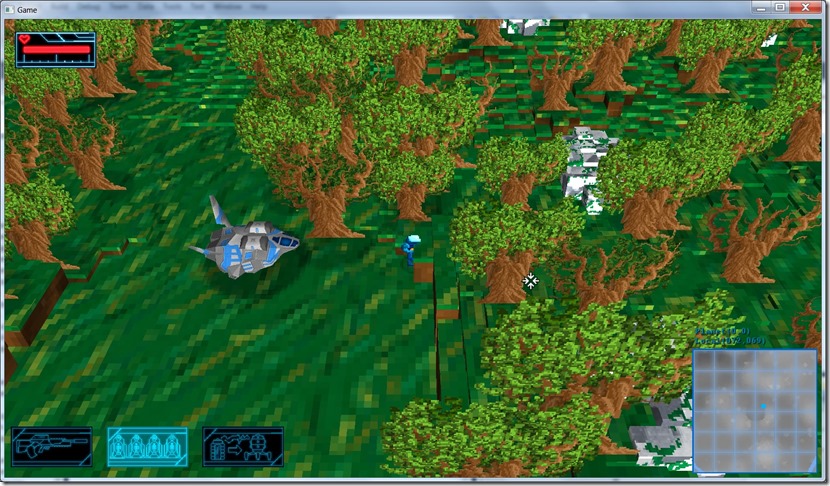
Half the character is penetrating the scene, since the point I was checking was the middle of his feet. Although this worked fine, it had some shortcomings (specially when the camera was close to the character because of obstructions), and it looked ugly…
I’ve changed that piece of code so that it uses a cylinder for the collision detection, leading to a much nicer effect (and more robust in some cases):
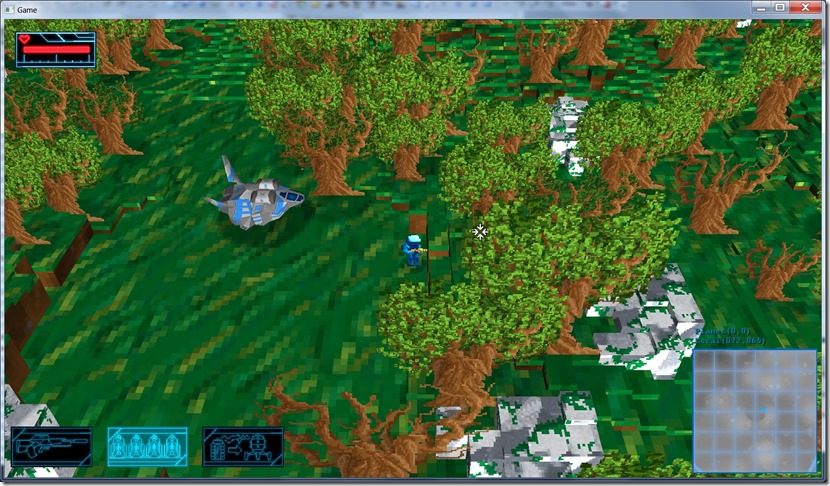
It’s not perfect yet, some fringe cases might cause the character to intersect the world geometry, but those are the exception rather than the rule…
I’m thinking on doing a small “voxel editor” just to create world geometry (instead of building everything from code); it will come in handy for story-related set pieces… Building specific geometry in code is hard!
This shouldn’t take too long… Merging that content with the terrain will probably be harder, I think… the editor itself is something I have done for a 48-hour competition (http://shadowcovenant.com/blog/2012/04/22/throwing-the-towel/).
Link of the Day: If you’re interest in bump mapping effects, take a look at Morten S. Mikkelsen’s blog at http://mmikkelsen3d.blogspot.pt/, it has really interesting stuff (that I really have to try out one of these days!)